
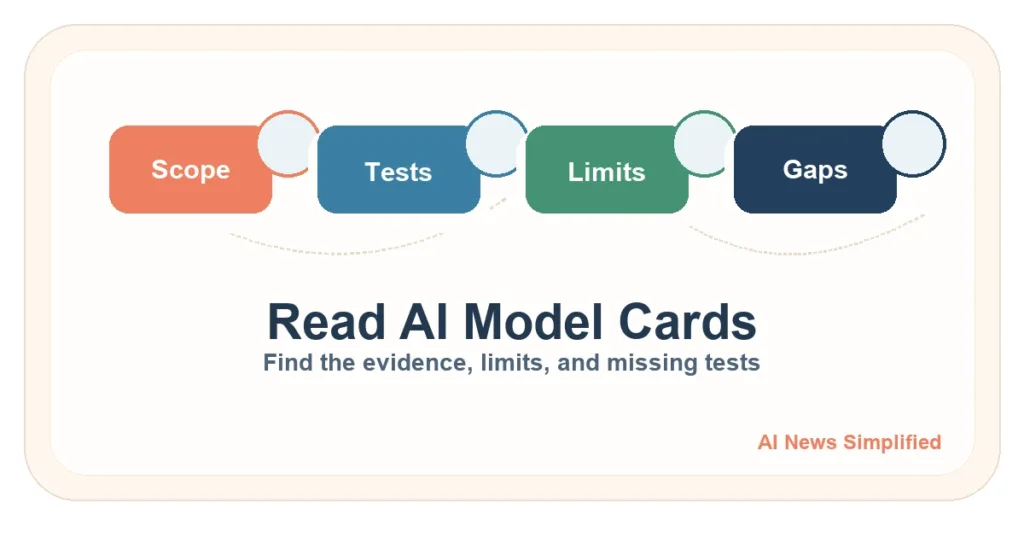
Quick answer: Start an AI model card, system card, or safety report by identifying the exact model or product, version, publication date, intended use, and document scope. Then inspect the evaluation setup, results, limitations, mitigations, update history, and what was not disclosed or tested. Treat a provider-authored card as evidence—not an independent audit or proof of safety.
Checked July 17, 2026. Provider document names and indexes change. Recheck the current document and any addendum before relying on it.
Key takeaways
- Confirm the exact model, system, version, release status, and date first.
- A model card and a system card may describe different layers.
- Read intended and out-of-scope uses before the headline scores.
- Separate test results from the provider’s interpretation.
- Keep a written list of missing, undisclosed, or untested evidence.
Model card, system card, or safety report?
| Document | Typical focus | What it may miss |
|---|---|---|
| Model card | One model’s intended use, evaluation, performance, limitations, and context | Product interface, retrieval, tools, permissions, or deployment safeguards |
| System card | A larger system: models, non-model components, interfaces, safeguards, people, and deployment behavior | Every downstream integration or customer configuration |
| Safety report | Selected risks, evaluations, mitigations, incidents, or deployment decisions | A standard field set; scope varies widely |
| Transparency report | Broader governance, policy enforcement, incidents, or organizational practices | Detailed model-level test methods |
The original model-card proposal emphasized intended use, out-of-scope use, evaluation procedures, relevant conditions, performance, and limitations. Public documentation still lacks one universal format, so identify what each document actually covers rather than relying on its label.
1. Identify the artifact precisely
- Provider and document author.
- Exact model, product, system, and version.
- Preview, research, limited, or general release status.
- Publication and update dates.
- Superseded documents, appendices, or addenda.
2. Read intended and out-of-scope uses
Look for intended users, environments, languages, tasks, and prohibited or unsupported uses. Compare that scope with your real workflow. A strong result in one tested setting says little about an excluded or untested setting.
3. Map the whole system
- Base and fine-tuned models.
- Retrieval sources and external tools.
- Product interface, filters, and refusal behavior.
- Permissions, data access, and human confirmation.
- Monitoring, incident response, and deployment controls.
A model-only card may not describe the product layer that users encounter. A product system can also change without changing the underlying model name.
4. Inspect the evaluation setup
- What objective and risk was evaluated?
- Which datasets, benchmark versions, prompts, tools, and graders were used?
- What baselines or prior versions were compared?
- What sample size, uncertainty, subgroup, language, and edge-case results are shown?
- Was testing internal, external, independent, adversarial, or user-based?
- Do the test conditions match the deployed system?
Use How to Read AI Benchmarks and Leaderboards for a deeper score check. Do not treat a table of benchmark numbers as the entire safety case.
5. Separate evidence, interpretation, and decision
| Layer | Example question |
|---|---|
| Evidence | What result was observed under what test conditions? |
| Interpretation | What does the author say the result means? |
| Mitigation | What control was added, and was it tested? |
| Residual risk | What can still go wrong? |
| Deployment decision | Why did the provider release, limit, or withhold the system? |
6. Keep a “not disclosed or not tested” ledger
- Training or evaluation data provenance.
- Languages, regions, user groups, accessibility, and lower-resource settings.
- External or independent testing.
- Negative, failed, or inconclusive results.
- Product-layer behavior and third-party integrations.
- Post-deployment incidents, monitoring, complaints, and changes.
Missing public evidence does not prove a system is unsafe. It means you cannot verify that point from the document. Some security-sensitive details may be withheld for a legitimate reason; record the gap and decide whether other evidence or controls are required.
7. Check updates and current deployment
Look for update history, addenda, incident disclosures, feedback routes, and links to the current deployment. A card can lag the live model or omit settings that change the product experience. Save the version you reviewed and schedule a recheck.
Limitations
Model cards and system cards are transparency tools, not a universal certification system. Provider-authored evidence can be useful and still selective. Formats differ, evaluation science is evolving, and public reports may not cover every deployment. Pair document review with your own risk review and representative pilot.
Related guides
Use this with How to Spot AI Hype, How to Read AI Benchmarks, Browser AI Agent Guardrails, and AI Safety and Privacy.